Shopify QuickBooks Integration: Mapping & What Breaks
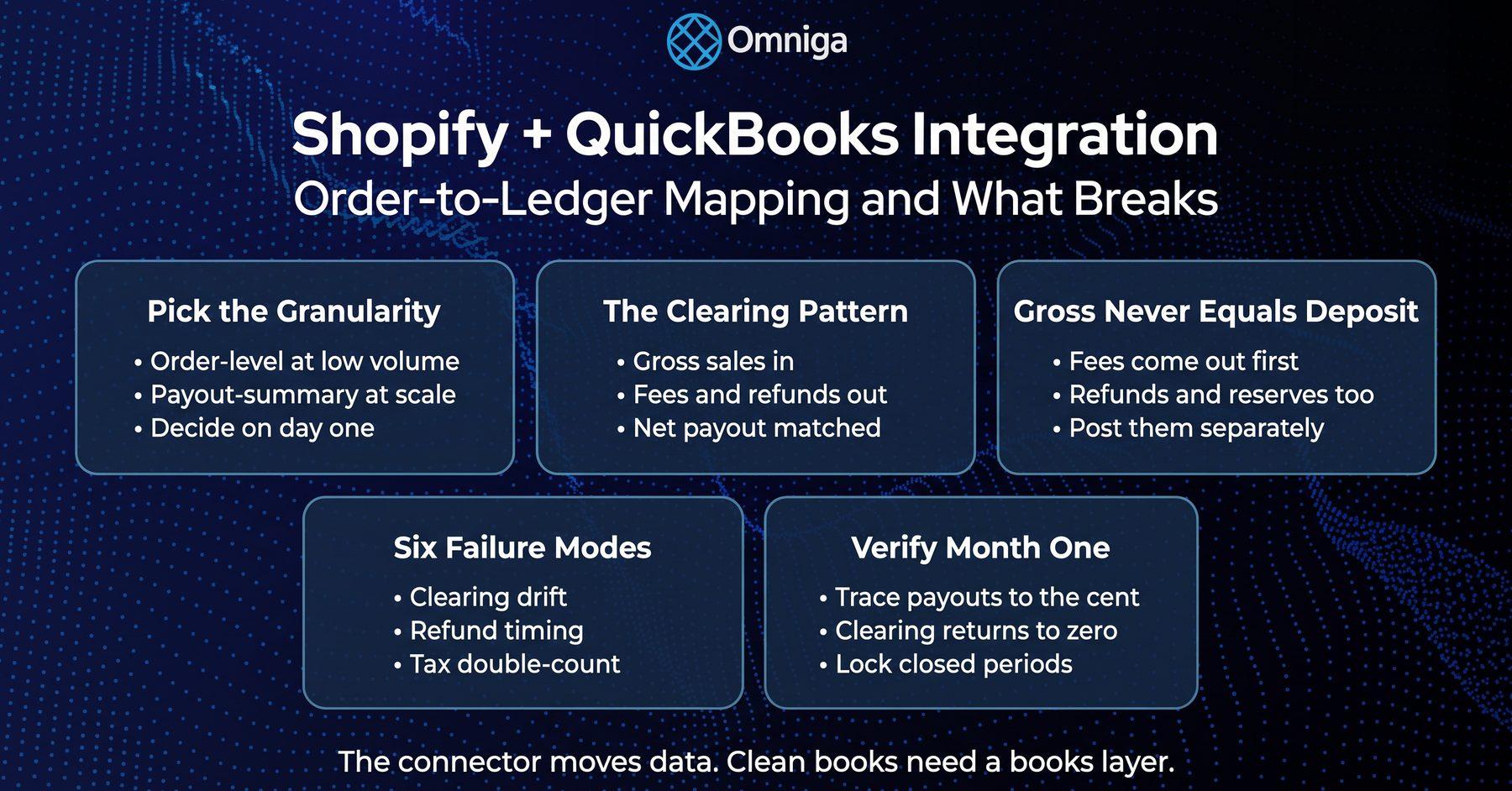
Shopify QuickBooks integration compared: native connector vs. A2X, Synder, Webgility, order-to-ledger mapping, and six month-end failure modes.
Table of Contents
Part of our finance automation tools guide.
Shopify QuickBooks integration is the connection that moves Shopify orders, fees, refunds, and payouts into the QuickBooks Online ledger — either as individual transactions or as payout-level summary entries. The connector choice is really an order-to-ledger mapping choice: the posting granularity you pick determines whether your bank deposits match your books at month-end.
Best for: Shopify operators on QuickBooks Online who want to connect Shopify to QuickBooks correctly the first time — or who inherited a half-configured quickbooks shopify sync and a clearing account that grows every month. Not for: marketplace-first sellers (Amazon mechanics differ) or stores not on QuickBooks Online. Do this next: if your Shopify books have deeper problems than the sync — COGS, inventory, accrual timing — start with our bookkeeping for shopify guide, then come back for the integration layer.
Shopify QuickBooks Integration at a Glance
Every page ranking for this query is vendor-written. Here is the neutral version: four ways to connect Shopify to QuickBooks Online, what each posts to your ledger, and published pricing as of November 2026. The right Shopify QuickBooks integration depends on your order volume — not on who wrote the comparison.
| Tool | Posting granularity | Reconciliation approach | Published pricing (Nov 2026) | Best fit |
|---|---|---|---|---|
| Shopify Connector by QuickBooks | Order-level sales receipts + payout records | Payout deposits matched against imported activity | Free to install (additional charges may apply) | Lower-volume stores that want native and free |
| A2X | Payout-summary journal entries | One entry per payout, matched to the bank deposit | Shopify plans from $29/mo (vendor's published page) | Volume sellers who care about a clean month-end |
| Synder | Order-level: every sale, fee, and refund posted individually | Per-transaction detail through a clearing account | Basic from $52/mo billed yearly ($65 monthly); higher tiers set by transaction volume | Stores that need customer/item detail inside QBO |
| Webgility | Order- or summary-level, multi-channel | Syncs orders, payouts, fees, and inventory across channels | Pro from $69/mo billed annually | Sellers on Shopify plus other channels |
| Omniga (ours) | Either granularity — the books layer on top | Payouts reconciled to deposits, close checks on the ledger | Published monthly pricing | Merchants who want the bookkeeping outcome, not another tool |
What the integration moves on its own
Any serious Shopify QuickBooks integration syncs the transactional record: orders, refunds, processing fees, payouts, and optionally customers, products, and inventory. The Shopify Connector by QuickBooks also creates default QBO accounts for fees, reserves, gift cards, and disputes, and imports up to a year of history — in batches Intuit says can take 10 minutes to 3 hours.
What doesn't move by itself
No connector decides your mapping scheme, your tax treatment, or your reconciliation discipline. Whether gross sales, discounts, fees, and refunds land in the right accounts remains your job. The data pipe is the easy 80%; the books layer is where Shopify ledgers go wrong.
Key data: U.S. retail e-commerce hit $340.2 billion in Q2 2026 — 17.1% of total retail sales (U.S. Census Bureau, Quarterly Retail E-Commerce Sales, August 2026) — and Shopify facilitated $378.4 billion of GMV in 2025, up 29%, with 44% of its millions of merchants in the United States (Shopify Form 10-K, February 2026). Shopify-plus-QBO is one of America's most common SMB finance stacks — and most of those ledgers share the same failure modes.
Shopify QuickBooks Integration Options, Tool by Tool
All four move data reliably when configured well; they differ on posting granularity and what happens at month-end. Pricing comes from each vendor's own published page, fetched November 2026 — names only, no affiliate links.
Shopify Connector by QuickBooks
The native, Intuit-built option — free to install, with order-level sales receipts, payout records, and toggles for product tracking, customer tracking, and auto-posting. It also syncs B2B invoices. On Shop-channel orders, Shopify collects and remits the sales tax itself, so confirm how the connector maps that tax before your first close. Watch for: order-level detail bloats QBO at high volume, and its default accounts need mapping into your real chart of accounts, not left as a parallel universe.
A2X
The payout-summary specialist: one journal entry per payout — gross sales, fees, refunds, taxes — built to match the bank deposit exactly; Shopify plans start at $29/month. Watch for: no per-order detail inside QBO; customer and SKU analytics stay in Shopify.
Synder
The opposite philosophy: every sale, fee, and refund recorded individually, rolled through a clearing account. Pricing is published by tier: Basic starts at $52/month billed yearly ($65 billed monthly), higher tiers are set by monthly transaction volume, and every plan starts with a 15-day free trial. Watch for: at thousands of orders a month, per-transaction posting is exactly the granularity decision covered below.
Webgility
The multi-channel play: order- or summary-level sync across Shopify plus other storefronts, with inventory and payout-reconciliation features; Pro starts at $69/month billed annually. Watch for: overkill for a single store; per-order plan limits make volume pricing worth modeling first.
Related reading: quickbooks integrations — the wider roundup across payments, payroll, and reporting.
Order-to-Ledger Mapping: The Decision That Makes or Breaks Reconciliation
Most Shopify reconciliation pain traces to one choice made (or defaulted) on day one: do orders post individually, or do payouts post as summaries? Everything else in a Shopify QuickBooks integration is configuration; this is design.
Order-level posting
Each Shopify order becomes its own QBO transaction. The detail is real, and at low volume it's useful. Past a few hundred orders a month it clogs QuickBooks: thousands of sales receipts, slower reports, reconciliations that tie hundreds of transactions to each deposit.
Payout-summary posting
One journal entry per Shopify payout: gross sales in; discounts, fees, and refunds out; net amount matched to the bank deposit. Month-end becomes a handful of entries. The trade-off: order-level analytics stay in Shopify — usually where they belonged anyway.
The clearing-account pattern
Either way, the mechanics are the same: gross sales post into a Shopify clearing account, fees and refunds post out of it, and the net payout clears against the bank deposit. Shopify pays out daily, weekly, or monthly, net of fees, refunds, and any reserve holds (Shopify Help Center, Shopify Payments payouts) — so gross revenue never equals the deposit; the clearing account is where the difference lives, briefly, returning to roughly zero after every payout cycle. Bank reconciliation software discipline, or AI bookkeeping automation for QuickBooks, keeps the matching honest at volume.
The mapping scheme that reconciles cleanly, component by component:
| Shopify component | Where it belongs in QBO | Posting note |
|---|---|---|
| Gross sales | Sales revenue | Gross, never net of fees |
| Discounts | Contra-revenue (discounts) | Separate line, not netted into sales |
| Shipping collected | Shipping income | Distinct from product revenue |
| Shopify Payments fees | Merchant fees expense | Out of the clearing account, not out of revenue |
| Refunds | Contra-revenue (returns & refunds) | Dated when refunded, not when sold |
| Gift cards sold | Gift card liability | Revenue only on redemption (ASC 606) |
| Sales tax — merchant-liable | Sales tax payable | You collect and remit |
| Shop-channel marketplace tax | Payable adjustment — Shopify remits | Must not inflate your own liability |
| Net payout | Clearing account → bank | Matched to the deposit, to the cent |
What Breaks: Six Failure Modes in a Shopify QuickBooks Integration
Setup guides stop at "connected." Books break afterward, quietly. These six account for most Shopify ledger cleanups:
| # | Failure mode | Symptom | Fix |
|---|---|---|---|
| 1 | Clearing account never zeroes | Balance grows every month | Reconcile payout-by-payout; investigate the residual |
| 2 | Fees netted into revenue | Top line understated, or margin fiction | Post gross sales and fees separately |
| 3 | Refund timing | Refunds hit the month of the sale, or vanish | Book refunds when paid out, as contra-revenue |
| 4 | Gift cards booked as revenue | Liability missing; revenue early | Liability on sale, revenue on redemption |
| 5 | Marketplace tax double-counted | Sales tax payable overstated | Separate Shopify-remitted from merchant-liable tax |
| 6 | Duplicate posting after re-sync | Revenue doubled for a window | De-duplicate by order ID; lock closed periods |
Clearing drift (1) and netted fees (2) are the same disease: nobody owns the match between gross activity and net deposits. Shopify's payout reports break out transactions, fees, and payouts precisely so the books can mirror them.
Refund timing (3) gets expensive at ecommerce return rates: a refund processed in March against a January sale belongs in March's books. Back-dating, or netting refunds into sales, distorts two months at once.
Key data: An estimated 19.3% of online sales will be returned in 2025, against $849.9 billion of total retail returns (NRF and Happy Returns, 2025 Retail Returns Landscape, October 2025). At that rate, refund handling isn't an edge case in your Shopify QuickBooks integration — it's a fifth of your transaction flow.
Gift cards (4) are a liability when sold: under ASC 606, unredeemed-balance income ("breakage") is recognized in proportion to actual redemptions, not up front (PwC Viewpoint, ASC 606 — unexercised rights). The native connector even creates a gift-card liability account — the failure mode is mapping it to revenue anyway.
Marketplace tax (5) is the newest trap. Under state marketplace facilitator laws, the marketplace — not the seller — collects and remits sales tax on facilitated sales (Washington Department of Revenue, marketplace facilitators). Shop-channel sales carry tax Shopify remits directly; storefront sales stay merchant-liable. Book both into your own sales tax payable and you'll remit tax the state already received.
Duplicate posting (6) follows re-syncs and historical re-imports: the same orders land twice and the clearing account absorbs the evidence. De-duplicate on Shopify order ID and lock closed periods.
Key benchmark: Half of small employer firms reported uneven cash flow as a financial challenge in the prior 12 months, and 54% struggled with paying operating expenses, per the Federal Reserve Banks' survey of 6,500 firms (2026 Small Business Credit Survey, Report on Employer Firms). A ledger with clearing drift and double-counted tax hides exactly the cash position those operators needed to see.
Related reading: stripe reconciliation tools for quickbooks — the same payout-level failure modes and fixes on the Stripe side.
How Omniga Keeps Shopify Books Clean on the QuickBooks Ledger
Shopify is one of the three platforms Omniga supports (with Stripe and Square), so this section is first-person: we ingest Shopify activity, categorize it on the QuickBooks Online ledger, reconcile every payout to its deposit, and run close checks that catch the six failure modes above before they compound. The connector stays; we operate the books layer the connector was never going to be.
Quiet AI™ Note: We optimize for exception-first accounting: auto-post what's confident, route the rest to review.
What we see in Shopify ledgers that land on our desk
The pattern is consistent. A store connects a Shopify QuickBooks integration in year one, and it works. By the time the books reach us, the clearing account holds a five-figure balance nobody can explain, fees have been netted into revenue for months — so gross margin is fiction — and a re-sync has doubled a week of December. None of it was a tool failure; it was an ownership failure: nobody was accountable for the match between Shopify's numbers and the ledger's. That ownership is what we sell — closer to automated bookkeeping software with a human review layer than to another connector.
Honestly not for you if: you're happy operating A2X or the native connector and your clearing account already zeroes monthly; your ledger isn't QuickBooks Online; or you want per-order SKU analytics inside QBO (keep Synder — we'll reconcile around it). If the bookkeeping outcome is what you're after, see our ecommerce bookkeeping software — built for this Shopify-on-QBO stack.
Related reading: Shopify bookkeeping services — the full service picture beyond the integration layer.
Setup Checklist: Connecting Shopify to QuickBooks the Right Way
Before you connect
- Build the chart of accounts first: clearing account, merchant fees expense, gift-card liability, shipping income, separate treatment for marketplace-remitted vs. merchant-liable tax. (If your COA is already a sprawl, read our chart of accounts alternative approach first.)
- Decide granularity deliberately — order-level under a few hundred orders a month, payout-summary above.
- Pick the import start date on purpose; a clean cutover beats overlapping manually-entered months.
During setup
- Map the connector's default accounts to your real ones; don't run a parallel chart.
- Leave auto-posting off until you've reviewed a full payout cycle — with auto-add off, the native connector holds transactions for review; that's the right first-month posture.
- Set deposit and payments accounts explicitly (where payouts land, where negative payouts draw from).
First-month verification
- Trace three payouts to their deposits, to the cent.
- Confirm the clearing account returns to zero after each payout cycle.
- Check that fees landed in expense (not netted), refunds in contra-revenue, and sales tax payable holds only what you owe.
Frequently Asked Questions
Does Shopify integrate with QuickBooks Online?
Yes. A Shopify QuickBooks Online integration can run through the free native Shopify Connector by QuickBooks, or through third-party tools such as A2X (payout summaries), Synder (order-level detail), and Webgility (multi-channel). All sync orders, fees, refunds, and payouts into QuickBooks Online; they differ on posting granularity and month-end reconciliation.
Is the Shopify Connector by QuickBooks free?
Yes — the Shopify App Store lists the Intuit-built connector as free to install, noting additional charges may apply (you still need a QuickBooks Online subscription). It imports orders, refunds, fees, and payouts, brings in up to 12 months of history, and syncs products, customers, and B2B invoices.
Should Shopify orders post individually or as payout summaries in QuickBooks?
Post payout summaries once you pass a few hundred orders a month; keep order-level posting while volume is low or when you need per-order customer and SKU detail inside QBO. Summary posting means one journal entry per payout matched to the bank deposit — QuickBooks stays fast and reconciliation stays short.
Why don't my Shopify payouts match my QuickBooks deposits?
Because payouts are net: Shopify deducts processing fees, refunds, and any reserve holds before depositing, so gross sales never equal the deposit. The fix is a clearing account — gross sales in, fees and refunds out, net payout matched to the deposit. Still off? Look for refund-timing errors, duplicates from a re-sync, or marketplace tax booked as if you owed it.
How do Shopify fees and refunds get recorded in QuickBooks?
Fees post to a merchant-fees expense account, never netted out of revenue — that keeps gross sales and true margin visible. Refunds post as contra-revenue dated when the refund was processed, not back-dated to the sale. Both flow through the clearing account so each net payout still reconciles to its deposit.
The Bottom Line
A Shopify QuickBooks integration is a mapping decision wearing a software decision's clothes. Pick granularity for your volume, run the clearing-account pattern, split fees, refunds, gift cards, and both kinds of sales tax into the accounts where they belong — then verify the first month payout-by-payout. The connector moves the data; clean books still require a books layer that owns the match. More in this series: see all finance OS solutions guides.