QuickBooks Automation: What to Automate First (2026 Guide)
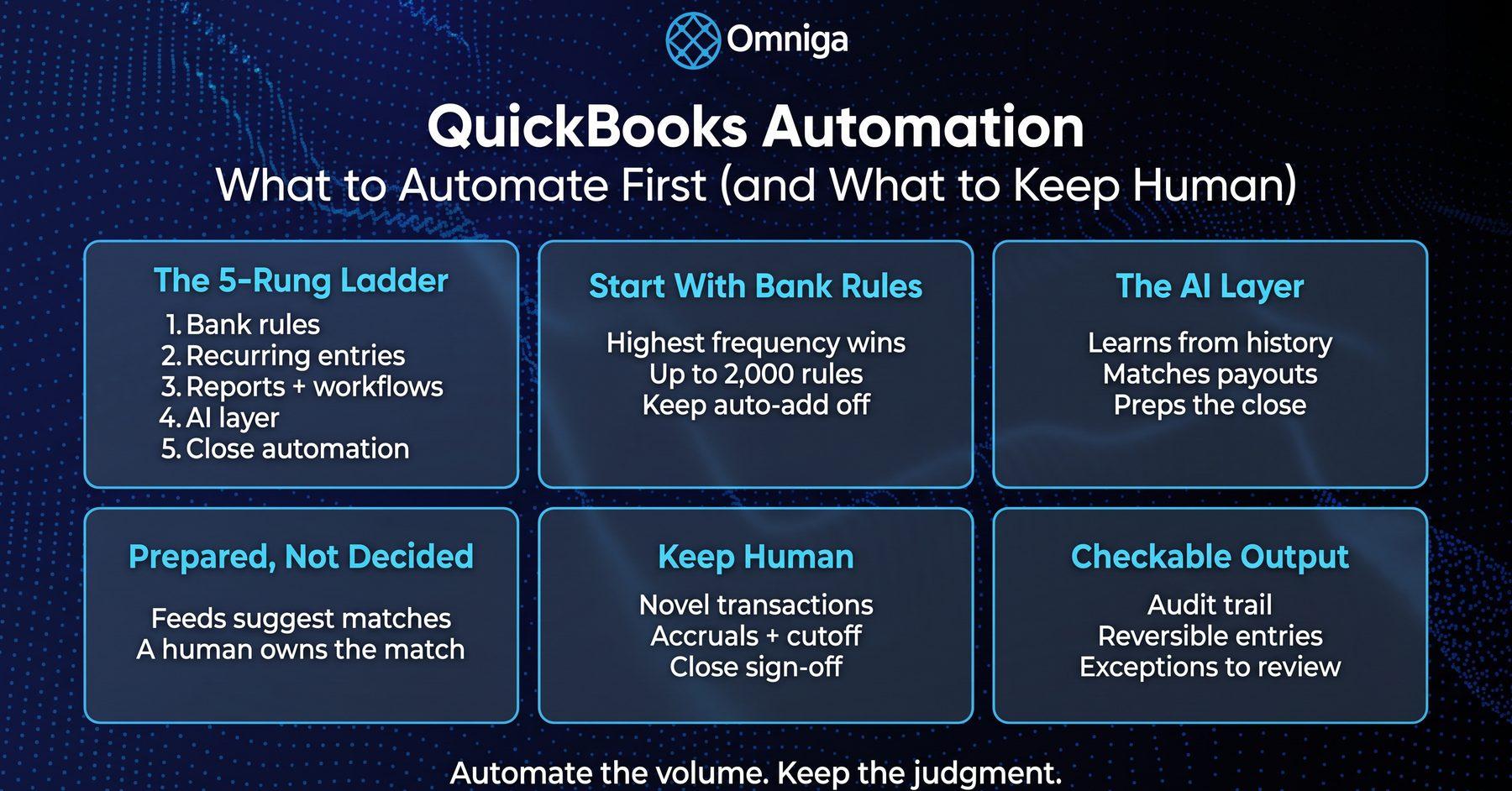
QuickBooks automation sequenced by ROI: bank rules, recurring transactions, workflows, the AI layer — and the bookkeeping work that should stay human.
Table of Contents
Part of our finance automation tools guide.
QuickBooks automation is the use of QuickBooks Online's native features — bank rules, recurring transactions, scheduled reports, and workflows — plus layered AI software to handle repetitive bookkeeping work like categorization, reconciliation prep, and reporting automatically, while judgment calls stay with a human. The real question is not whether to automate; it is what to automate first, and what to deliberately keep human.
Best for: founders and finance leads on QuickBooks Online who suspect they are doing too much by hand — and bookkeepers modernizing a QBO workflow one lever at a time. Not for: businesses not on QuickBooks Online, or anyone looking for a generic Zapier tutorial. Do this next: if your real decision is software versus a human service, start with our automated bookkeeping software comparison, then come back here for the sequencing.
The QuickBooks Automation Ladder: What to Automate First
Every feature inventory lists what QuickBooks can automate. Almost none of them tell you the order. Sequence matters because each rung of QuickBooks automation compounds the one below it — clean bank rules make recurring entries trustworthy, and both make the AI layer dramatically more accurate. Climb in this order:
| Rung | What it automates | Native or layered | Honest limit |
|---|---|---|---|
| 1. Bank feeds + bank rules | Categorization of downloaded transactions | Native (all QBO plans) | Rules misfire on reused vendors, splits, and anything novel |
| 2. Recurring transactions | Invoices, bills, and journal entries on a schedule | Native | Fixed amounts only; a changed bill still needs editing |
| 3. Scheduled reports, reminders & workflows | Report delivery, payment reminders, approvals | Native (workflows need Advanced) | Moves information; doesn't touch the ledger |
| 4. AI categorization + reconciliation | Learning-based coding, payout matching, duplicate detection | Layered software | Confidence varies; exceptions still need review |
| 5. Close automation | Close checklists, accrual prep, documentation checks | Layered software | Prepares the close; sign-off stays human |
Rung 1 — Bank feeds and bank rules
Highest frequency, highest return. QuickBooks bank rules categorize downloaded transactions by description, bank text, or amount — you can hold up to 2,000 rules, applied in priority order. Leave auto-add off at first: Intuit's documentation notes that auto-post rules add matching transactions automatically, so nothing waits for your review. This is also where automation beats typing on error rates alone — field audits of real-world spreadsheets found errors in at least 86% of those examined in the better-run studies, consistent with the 2–5% error rate humans show on complex cognitive tasks (Panko, Spreadsheet Errors: What We Know, EuSpRIG 2000).
Rung 2 — Recurring invoices, bills, and journal entries
Anything with a fixed schedule and amount — rent, loan payments, depreciation, subscription invoices — belongs in recurring transactions. QuickBooks supports three template types: scheduled (posts automatically), reminder (prompts you, then you send), and unscheduled (a reusable draft). Use reminder templates for bills that change each month; use scheduled only where the amount truly never moves.
Rung 3 — Scheduled reports, reminders, and workflows
In QuickBooks Online Advanced, workflows automate reminders, approvals, notifications, and record updates from 60+ templates — invoice approval chains, payment-due reminders, bill routing. Newer still: Custom Automations through Intuit Intelligence let a Primary or Company admin describe a recurring task in plain English, and Intuit Intelligence creates and schedules it — managed from the Automation Hub, which also offers ready-made templates such as a monthly business snapshot.
Rungs 4 and 5 — the AI layer
Native levers stop at patterns you can write down. The AI layer — learning-based categorization, automated reconciliation matching, close preparation — is where ai bookkeeping software goes beyond rules. We cover both rungs in depth below.
Key data: 88% of US accounting professionals used AI for at least one client service in the past year, and the single most common use is data entry and processing, at 54% (2026 Intuit QuickBooks Accountant Technology Survey, reported by CPA Practice Advisor, July 2026). The categorization work on rung 1 is exactly where the profession itself automates first.
Where Native QuickBooks Automation Stops
The native levers are real, and they are also the ceiling most operators hit within a year. Three limits show up on nearly every QuickBooks Online ledger:
| Native lever | What it covers | Where it misfires |
|---|---|---|
| Bank rules | Known vendors, stable descriptions | Reused vendors (one Amazon charge is supplies, the next is inventory), split transactions, novel activity |
| Recurring transactions | Fixed-schedule, fixed-amount entries | Variable bills; anything needing fresh judgment each cycle |
| Workflows & reminders | Approvals and notifications | Nothing that posts to the ledger; Advanced-only |
| Auto-add | Instant posting of rule matches | Posts errors instantly too — misfires compound silently until reconciliation |
Rules don't know what they don't know. A bank rule is a pattern-matcher: when the same vendor sells you two different things, or one deposit bundles three revenue streams, the rule fires anyway — confidently and wrong. The errors surface weeks later as reconciliation differences, which is why bank reconciliation software discipline matters more, not less, once rules are on.
No cross-system awareness. QuickBooks automation sees what lands in QuickBooks. Commerce payouts, payroll runs from Gusto, and AP flows arrive pre-summarized from outside systems, and the native levers cannot verify them against the source. Reconciliation is prepared, not decided: the feed suggests matches, and someone still has to own the match — the same discipline behind QuickBooks reconciliation services.
The capture layer is separate. Bills and receipts still need to get into QBO accurately before any rule can act on them — for that front door, see our guide to receipt OCR for QuickBooks.
Related reading: accounts payable automation quickbooks — the AP-specific stack of capture, approvals, and payment rails on QBO.
The AI Layer: QuickBooks Automation Beyond Native Features
Rungs 4 and 5 sit on top of the ledger rather than inside it. AI categorization learns from history instead of waiting for you to write a rule; automated reconciliation matches payouts, fees, and deposits across systems; close automation runs the checks — uncategorized transactions, unreconciled accounts, missing accruals — that otherwise live in someone's head.
The measured gains are substantial. A Stanford GSB field study of AI-based accounting software across 79 small and mid-sized firms documented a reallocation of roughly 8.5% of accountant time from routine data entry toward higher-value work, and a 7.5-day reduction in monthly close time (Choi & Xie, Stanford GSB Working Paper 4261, May 2025). The same study found experienced professionals intervene more when AI confidence scores signal uncertainty — the exception-first pattern working as designed. If you want to see how that layer operates on a live QuickBooks ledger, see how Omniga works.
Key benchmark: Vendors of AI-powered workflow automation for bank reconciliations, transaction coding, and month-end close report time savings of 30–70% on those tasks (CPA.com 2025 AI in Accounting Report).
The close is where the ladder pays off most visibly: 50% of finance teams still take six or more business days to close the books, with Excel-driven processes named by half of respondents as a key bottleneck and account reconciliation consuming 20–50 hours a month (Ledge 2025 benchmarks, via CFO.com).
What to Keep Human (and Why)
This is the question every QuickBooks automation inventory skips. Automation earns its keep on repetitive, pattern-shaped work — and becomes a liability the moment it posts judgment calls without review. The honest split:
| Task | Verdict | Reason |
|---|---|---|
| Categorizing routine, repeat transactions | Automate | Pattern-shaped; errors are detectable and correctable |
| Recurring entries with fixed amounts | Automate | Zero judgment content |
| Reconciliation matching and prep | Automate the prep | The match proposal is mechanical; the residual investigation is not |
| Novel or ambiguous transactions | Keep human | No pattern exists; a guess posted confidently is still a guess |
| Accrual, cutoff, and classification decisions | Keep human | These are accounting positions, not data entry |
| The close sign-off | Keep human | Someone accountable must attest the numbers |
Novel transactions are the clearest case: the first invoice from a new revenue stream, a legal settlement, an owner contribution — automation has no history to learn from, and a bank rule will force it into whatever bucket looks closest. Accruals and cutoff are judgment by definition: when revenue is earned and which period absorbs an expense are decisions a tool can draft but should never finalize.
Notably, Intuit reached the same conclusion: its new Custom Automations will not send any outward-facing action without explicit review — drafts wait for your approval, and every run is logged in the audit trail (Intuit, Automate tasks with Custom Automations, updated October 2026). When the platform vendor gates its own automation behind human approval, "fully hands-off bookkeeping" should read as a red flag, not a feature.
Key finding: Only 6% of accounting professionals want AI executing client work autonomously, and in high-stakes client decisions over the past year, 64% report the work stayed entirely or primarily human-driven (2026 Intuit QuickBooks Accountant Technology Survey, reported by Accounting Today, July 2026). The practitioners closest to automation are the most deliberate about where it stops.
The same survey, as CPA Practice Advisor reports, found trust and liability to be the top reason clients keep paying for human expertise — ahead of complexity and empathy. The sign-off is the product.
What QuickBooks Automation Costs: Plan Gating and the Real Price
The native levers are plan-gated, and the gating changes the math:
- Bank rules ship with every QuickBooks Online plan.
- Workflows are a QuickBooks Online Advanced feature, with a library of 60+ templates.
- Custom Automations ship with QuickBooks Online subscriptions, but creating, editing, or deleting one requires Primary or Company Admin permissions — and the feature is not available in QuickBooks Solopreneur.
The AI layer is priced separately — categorization and reconciliation tools, AP platforms like Bill.com or Melio, and integration middleware like Zapier each carry their own subscriptions. Before adding any of them, price the alternative honestly: the real cost of under-automated books is the roughly five hours a week accountants report losing to moving, re-entering, or reconciling information across tools (2026 Intuit QuickBooks Accountant Technology Survey, via Accounting Today), and the month-end drag that follows. Automation spend that removes review-and-rework hours pays for itself; automation spend that adds unreviewed postings creates cleanup debt that costs more than it saved.
Choosing an Automation Layer for QuickBooks: The Evaluation Checklist
When you outgrow the native levers, the next decision is which automation layer to trust on your ledger. The dividing line is not rules-based versus AI-based — it is black-box entries versus checkable output. Ask any vendor:
- Audit trail: can you see what was posted, by what logic, and when — down to the transaction?
- Reversibility: when the system miscategorizes, is the fix one correction or a forensic project?
- Confidence routing: does it post everything, or post what it is sure of and queue the rest for review?
- QBO sync depth: does it write clean, native QuickBooks Online transactions, or a parallel record you will reconcile against forever?
- Close support: does it prepare the close with evidence, or just claim the books are "done"?
Omniga is the books layer we built to those answers: AI bookkeeping that categorizes, reconciles, and runs close checks on the QuickBooks ledger, with every automated entry checkable and exceptions routed to human review. What we see in ledgers that arrive after a year of unreviewed automation is consistent — bank rules firing on reused vendors for months, a reconciliation nobody owned, and a clean-looking P&L hiding both. The fix is never less automation; it is automation with ownership. That is the model behind AI bookkeeping automation for QuickBooks — and the standard we would hold any vendor to, including us.
Quiet AI™ Note: We optimize for exception-first accounting: auto-post what's confident, route the rest to review.
If you are mapping the broader tooling around the ledger — capture, payroll, reporting — our finance tech stack guide covers how the pieces fit.
Frequently Asked Questions
What can QuickBooks automate natively?
QuickBooks Online natively automates transaction categorization through bank rules (up to 2,000 per company), recurring invoices, bills, and journal entries on scheduled templates, payment reminders, and — on Advanced plans — approval and notification workflows from 60+ templates. Custom Automations via Intuit Intelligence add plain-English scheduled tasks like recurring report summaries, with outward-facing actions held for review.
What is the difference between QuickBooks bank rules and AI categorization?
Bank rules are static pattern-matchers: they apply the category you defined whenever a transaction's description, bank text, or amount matches, and they misfire on reused vendors and novel activity. AI categorization learns from transaction history and context, improves over time, and — in well-designed tools — attaches a confidence score so uncertain items route to human review instead of posting wrong.
Can QuickBooks automate bank reconciliation?
Partially. QuickBooks Online automates reconciliation preparation: bank feeds import transactions and suggest matches against recorded activity. It does not decide the match or investigate residual differences — that remains review work. Layered AI reconciliation tools extend the matching across payouts, fees, and multi-system flows, but the final reconciliation decision and the close sign-off stay human.
What bookkeeping tasks should not be automated?
Three categories of QuickBooks automation should stay human: novel or ambiguous transactions, where no pattern exists to learn from; accrual, cutoff, and classification decisions, which are accounting judgments rather than data entry; and the close sign-off, where someone accountable attests the numbers. Automation should prepare all three — flagging, drafting, and documenting — but a human approves.
Do I still need a bookkeeper if I automate QuickBooks?
Yes — the role changes rather than disappears. QuickBooks automation absorbs categorization, recurring entries, and reconciliation prep, which is the majority of bookkeeping hours, but the remaining work is the highest-stakes part: reviewing exceptions, making accrual and classification calls, and signing off the close. Most operators land on a hybrid: automation for volume, a human (in-house, fractional, or a service with review built in) for judgment.
The Bottom Line
QuickBooks automation rewards sequence, not enthusiasm. Turn on bank rules first and keep auto-add off until they have earned trust; move fixed-schedule entries to recurring templates; let workflows carry reminders and approvals; then add an AI layer for categorization, reconciliation, and close prep once the native levers hit their ceiling. And keep the judgment work — novel transactions, accruals, the sign-off — deliberately human, because that is the part your books are actually worth. More in this series: see all finance OS solutions guides.